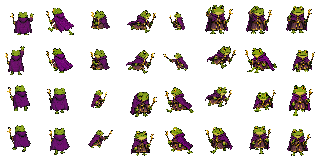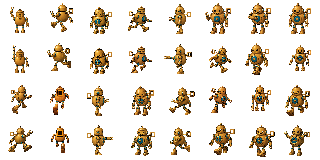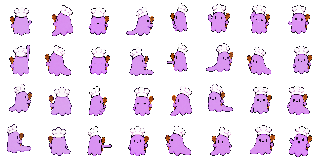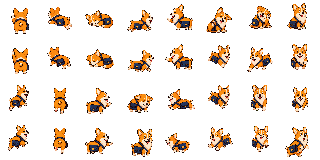
corgi courier
download
describe a character, paste one prompt into an image + files assistant, then drop the single file it returns. the assistant handles all 32 frames.
one clear sentence is enough · 500 characters max
select all of the text below, copy it, and paste it into your image + files assistant.
locks one character identity
draws and checks 32 frames
returns one portable pet file
one clear sentence is enough.
the assistant generates, checks, and packs every pose.
drop the returned .onandemo.json in the
playground.
pick a layout. they're all complete companions — bigger ones are richer but harder for a model to land; smaller ones are nearly foolproof. the engine fills any missing directions by mirroring and falling back, so even the floor tier chases all eight ways.
the sweet spot. front, side, and back walks plus two idle antics — a full eight-way companion once the engine mirrors the rest. small enough that a model can keep one character on-model across every cell.
                      a pixel-art sprite sheet of one character, retro desktop-pet style:
                      [describe your companion here]


layout: one transparent png. a grid of 4 columns × 3 rows of equal square cells. draw the same character in each cell, in this reading order (left to right, top to bottom):
1. idle — standing, facing the viewer, calm.
2. alert — the same character, startled: eyes wide, leaning back.
3–4. walk toward the viewer — a 2-frame step cycle, facing front.
5–6. walk to the right — a 2-frame step cycle, facing right.
7–8. walk away from the viewer — a 2-frame step cycle, facing back.
9–10. rest — a 2-frame idle loop (sit, curl, sway).
11–12. fidget — a 2-frame idle trick that suits the character (stretch, blink, wiggle).

consistency: it is the SAME character in every cell — same colors, same proportions, same size, standing on the same ground line. only the pose changes.

pixels: crisp pixel art, hard edges. no anti-aliasing, no soft shadows, no glow, no outline. transparent background — no backdrop, no floor, no grid lines, no labels, no border. leave a small margin of empty pixels around the character in every cell; nothing touches or crosses a cell edge.
save this as companion.json
next to your sheet, or paste it into the playground. this is
the map for this exact layout — you don't have to trust the
model to write one.
                    {
  "sheet": "./companion.png",
  "frameMap": {
    "cellSize": 32,
    "scale": 1,
    "states": {
      "idle": [[0, 0]],
      "alert": [[1, 0]],
      "S": [[2, 0], [3, 0]],
      "E": [[0, 1], [1, 1]],
      "N": [[2, 1], [3, 1]],
      "rest": [[0, 2], [1, 2]],
      "fidget": [[2, 2], [3, 2]]
    }
  }
}
the floor — the one that always lands. idle, a startle, and two walks. start here if your model fights you; it's still a real companion, not a mirror toy.
                      a pixel-art sprite sheet of one character, retro desktop-pet style:
                      [describe your companion here]


layout: one transparent png. a grid of 2 columns × 3 rows of equal square cells. draw the same character in each cell, in this reading order (left to right, top to bottom):
1. idle — standing, facing the viewer, calm.
2. alert — the same character, startled.
3–4. walk to the right — a 2-frame step cycle, facing right.
5–6. walk toward the viewer — a 2-frame step cycle, facing front.

consistency: it is the SAME character in every cell — same colors, same proportions, same size, standing on the same ground line. only the pose changes.

pixels: crisp pixel art, hard edges. no anti-aliasing, no soft shadows, no glow, no outline. transparent background — no backdrop, no floor, no grid lines, no labels, no border. leave a small margin of empty pixels around the character in every cell; nothing touches or crosses a cell edge.
save this as companion.json
next to your sheet, or paste it into the playground. this is
the map for this exact layout — you don't have to trust the
model to write one.
                    {
  "sheet": "./companion.png",
  "frameMap": {
    "cellSize": 32,
    "scale": 1,
    "states": {
      "idle": [[0, 0]],
      "alert": [[1, 0]],
      "E": [[0, 1], [1, 1]],
      "S": [[0, 2], [1, 2]]
    }
  }
}
the full cat — eight hand-drawn directions and every antic, the exact neko slot map. the hardest to land in one shot; reach for it when your model nails the smaller tiers and you want the whole creature.
                      a pixel-art sprite sheet of one character, retro desktop-pet style:
                      [describe your companion here]


layout: one transparent png. a grid of 8 columns × 4 rows of equal square cells — 32 cells, the full neko slot map. draw the same character in every cell. coordinates are [column,row] from [0,0] at the top-left. state names in parentheses are for the frame map only; do not draw any text.
row 0: [0,0] north-edge antic frame 1 (scratchWallN); [1,0] NW run frame 1; [2,0] rest/sleep frame 1 (sleeping); [3,0] E run frame 1; [4,0] west-edge antic frame 1 (scratchWallW); [5,0] self-antic frame 1 (scratchSelf); [6,0] self-antic frame 2; [7,0] self-antic frame 3.
row 1: [0,1] north-edge antic frame 2 (scratchWallN); [1,1] NW run frame 2; [2,1] rest/sleep frame 2 (sleeping); [3,1] E run frame 2; [4,1] west-edge antic frame 2 (scratchWallW); [5,1] SE run frame 1; [6,1] SW run frame 2; [7,1] south-edge antic frame 1 (scratchWallS).
row 2: [0,2] NE run frame 1; [1,2] N run frame 1; [2,2] east-edge antic frame 1 (scratchWallE); [3,2] tired pose; [4,2] W run frame 1; [5,2] SE run frame 2; [6,2] south-edge antic frame 2 (scratchWallS); [7,2] S run frame 2.
row 3: [0,3] NE run frame 2; [1,3] N run frame 2; [2,3] east-edge antic frame 2 (scratchWallE); [3,3] idle pose; [4,3] W run frame 2; [5,3] SW run frame 1; [6,3] S run frame 1; [7,3] alert pose.

direction cells are two-frame run loops; the character faces the compass direction named: N up/back, E right, S down/front, W left, diagonals between. edge antics are character-specific interactions with that side of the cell (touch, tap, knock, lean, scan, cast, scratch — whatever fits). the self-antic is a three-frame fidget. rest/sleep is a two-frame rest loop. tired is one worn-out pose. idle is calm. alert is startled.

consistency: it is the SAME character in every cell — same colors, same proportions, same size, standing on the same ground line. only the pose changes.

pixels: crisp pixel art, hard edges. no anti-aliasing, no soft shadows, no glow, no outline. transparent background — no backdrop, no floor, no grid lines, no labels, no border. leave a small margin of empty pixels around the character in every cell; nothing touches or crosses a cell edge.
save this as companion.json
next to your sheet, or paste it into the playground. this is
the map for this exact layout — you don't have to trust the
model to write one.
                    {
  "sheet": "./companion.png",
  "frameMap": {
    "cellSize": 32,
    "scale": 1,
    "states": {
      "idle": [[3, 3]],
      "alert": [[7, 3]],
      "N": [[1, 2], [1, 3]],
      "NE": [[0, 2], [0, 3]],
      "E": [[3, 0], [3, 1]],
      "SE": [[5, 1], [5, 2]],
      "S": [[6, 3], [7, 2]],
      "SW": [[5, 3], [6, 1]],
      "W": [[4, 2], [4, 3]],
      "NW": [[1, 0], [1, 1]],
      "sleeping": [[2, 0], [2, 1]],
      "tired": [[3, 2]],
      "scratchSelf": [[5, 0], [6, 0], [7, 0]],
      "scratchWallN": [[0, 0], [0, 1]],
      "scratchWallS": [[7, 1], [6, 2]],
      "scratchWallE": [[2, 2], [2, 3]],
      "scratchWallW": [[4, 0], [4, 1]]
    }
  }
}
the one thing that wrecks a sheet is the character drifting between cells. if your model can take an image as input (gemini, gpt-image, and friends can), lock it in two passes:
idle pose first — one
clean cell. iterate until the character is exactly right.
no image input? skip this — the single prompt still works, you'll just re-roll a few more times for a consistent character.
the honest part